โจทย์วันนี้คือ อยากได้ python file ตัวนึงที่ทำการอ่าน zip file ที่มี image อยู่ข้างใน ส่วนใหญ่ไฟล์แบบนี้จะเป็นหนังสือแหละ อาจจะถ่ายรูป หรือแสกนเข้ามาแล้วเป็น jpg,png zip ไฟล์รวมกันมา
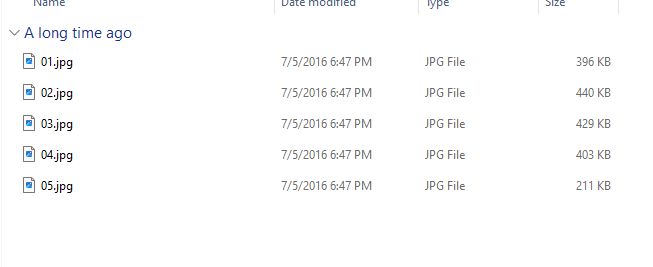

ก็ทำการสร้างไฟล์ .py ขึ้นมา ด้วยโค้ดดังนี้ (By ChatGPT)
import os
import sys
import zipfile
import rarfile
import py7zr
from reportlab.lib.pagesizes import letter
from reportlab.pdfgen import canvas
from PIL import Image, ExifTags
from tqdm import tqdm  # Import tqdm for progress bar
# command to get all file zip Get-ChildItem -Filter *.zip | ForEach-Object { Write-Host -NoNewline ('"{0}" ' -f [System.IO.Path]::GetFileName($_.FullName)) }
# Check if the script is provided with archive file paths as command-line arguments
if len(sys.argv) < 2:
    print("Usage: python script.py <archive_file_path1> <archive_file_path2> ...")
    sys.exit(1)

archive_file_paths = sys.argv[1:]

# Function to extract and process images from an archive (ZIP, RAR, or 7Z)
def extract_and_process_images(archive_path, pdf_file):
    if zipfile.is_zipfile(archive_path):
        with zipfile.ZipFile(archive_path, "r") as archive:
            extract_images_from_archive(archive, pdf_file)
    elif rarfile.is_rarfile(archive_path):
        with rarfile.RarFile(archive_path, "r") as archive:
            extract_images_from_archive(archive, pdf_file)
    elif py7zr.is_7zfile(archive_path):
        with py7zr.SevenZipFile(archive_path, mode="r") as archive:
            extract_images_from_archive(archive, pdf_file)
    else:
        print(f"Unsupported archive format for file: {archive_path}")

# Function to extract and process images from a supported archive
def extract_images_from_archive(archive, pdf_file):
    pdf = canvas.Canvas(pdf_file, pagesize=letter)
    pdf.setPageSize((595, 842))  # Set page size to match the typical A4 size

    # Get a sorted list of filenames within the archive
    image_filenames = sorted(
        (entry for entry in archive.namelist() if not entry.endswith('/'))
    )

    # Create a progress bar
    progress_bar = tqdm(total=len(image_filenames), unit="image")

    for idx, entry in enumerate(image_filenames):
        with archive.open(entry) as image_file:
            _, ext = os.path.splitext(entry)
            ext = ext.lower()
            if ext in (".jpg", ".jpeg", ".png"):
                # Save the image to a temporary file
                temp_image_file = f"temp_image_{idx}.{ext}"
                with open(temp_image_file, "wb") as temp_file:
                    temp_file.write(image_file.read())

                # Open the temporary image file with PIL
                img = Image.open(temp_image_file)

                # Check and adjust image orientation (rotate if necessary)
                for orientation in ExifTags.TAGS.keys():
                    if ExifTags.TAGS[orientation] == 'Orientation':
                        try:
                            exif = dict(img._getexif().items())
                            if exif[orientation] == 3:
                                img = img.rotate(180, expand=True)
                            elif exif[orientation] == 6:
                                img = img.rotate(270, expand=True)
                            elif exif[orientation] == 8:
                                img = img.rotate(90, expand=True)
                        except (AttributeError, KeyError, IndexError):
                            # No EXIF information found, continue without rotation
                            pass

                # Scale the image to fit the page width (keep the aspect ratio)
                img.thumbnail((595, 842))
                img_width, img_height = img.size

                # Add the image to the PDF
                pdf.drawImage(
                    temp_image_file,
                    x=0,  # Adjust the X position as needed
                    y=842 - img_height,  # Adjust the Y position as needed
                    width=img_width,
                    height=img_height,
                    preserveAspectRatio=True,
                )

                # Add the filename as text
                pdf.drawString(10, 10, os.path.basename(entry))

                pdf.showPage()

                # Remove the temporary image file
                os.remove(temp_image_file)

                # Update the progress bar
                progress_bar.update(1)

    # Close the progress bar
    progress_bar.close()

    pdf.save()

# Process each provided archive file
for archive_path in archive_file_paths:
    # Verify that the provided path exists
    if not os.path.isfile(archive_path):
        print(f"Skipping non-existent file: {archive_path}")
        continue

    # Extract the PDF file name from the archive file name
    pdf_file_name = os.path.splitext(os.path.basename(archive_path))[0] + ".pdf"

    # Call the function to extract and process images from the archive file
    extract_and_process_images(archive_path, pdf_file_name)

    print(f"PDF file '{pdf_file_name}' created successfully.")
<gwmw style="display:none;"></gwmw>
เซฟเป็น .py แล้วรันไฟล์ xxx.py ตามด้วย zip file

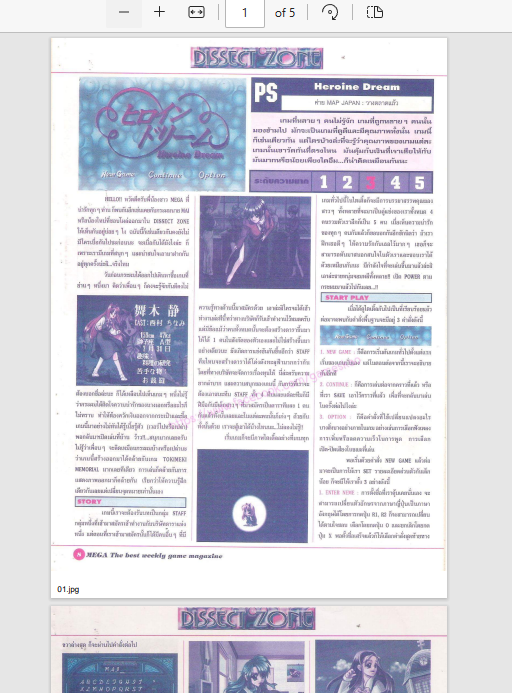
ก็จะได้ไฟล์ PDF จาก Image zip file
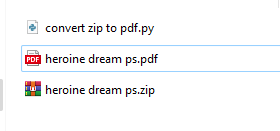
ในระหว่าง run หากขาด library ตัวไหน สามารถ pip install lib ตัวที่ขาดได้เลย เช่น zipfile rarfile PIL
ก็จะได้ผลลัพท์ที่เราต้องการ
ถ้ามี zip file หลาย ๆ ไฟล์ ก็รันคำสั่งตามนี้ เพื่อ list ชื่อไฟล์ทั้งหมดมา เพื่อทำทีเดียวได้
Get-ChildItem -Filter *.zip | ForEach-Object { Write-Host -NoNewline ('"{0}" ' -f [System.IO.Path]::GetFileName($_.FullName)) }เราสามารถเอาไฟล์ทั้งหมดมาต่อเป็น parameter ต่อ ๆ กันไปได้
python convert.py file1.zip file2.zip filexxx.zip